3a: Functionalities for parents/guardians in the web browser - timetable, homework, absences
Hinweis zu Entschuldigungen!
Note on apologies!
absences and absences of the children:
As a rule: Parents enter all absences (individual lessons, whole day(s)) in WebUntis before the first lesson instead of sending them by e-mail or calling the secretary's office. Under "Text" should be the message that they would otherwise have written by e-mail or on an excuse.
Leave of absence is requested by the parents in WebUntis - this is then approved for individual lessons or 1 day by "on leave" or "excused" (also under "Text").
Excuses for absences entered by the teacher:
Cannot be entered by parents via WebUntis. Must be made either in writing (via the school planner) or by e-mail to the class teacher or tutor!
3b: Functionalities for parents/guardians in the WebUntis-App - timetable, homework, absences
Note on apologies!
1. Absences and absences of the children:
As a rule, parents enter all absences (individual lessons, whole day(s)) in WebUntis before the first lesson instead of sending them by e-mail or calling the secretary's office. Under "Text" should be the message that they would otherwise have written by e-mail or on an excuse.
Leave of absence is requested by the parents in WebUntis - this is then approved for individual lessons or 1 day by "on leave" or "excused" (also under "Text").
Excuses for absences entered by the teacher:
Cannot be entered by parents via WebUntis. Must be made either in writing (via the school planner) or by e-mail to the class teacher or tutor!
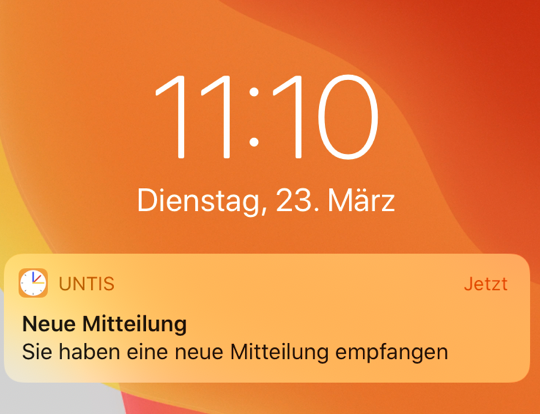
In the app: Teachers can send you a message on your cell phone via Messages. There can be a "Read receipt" option. The sender will then immediately see when you have sent the read receipt and have therefore read and acknowledged the message.
Web interface: Letters to parents can be sent by teachers as an attachment via the web interface for messages with read confirmation. Teachers will then immediately see that you have read and acknowledged the message.
In the future, parent-teacher conferences will be organized with iServ and no longer with WebUntis. If you have any questions, please contact Mr. Maltzahn.
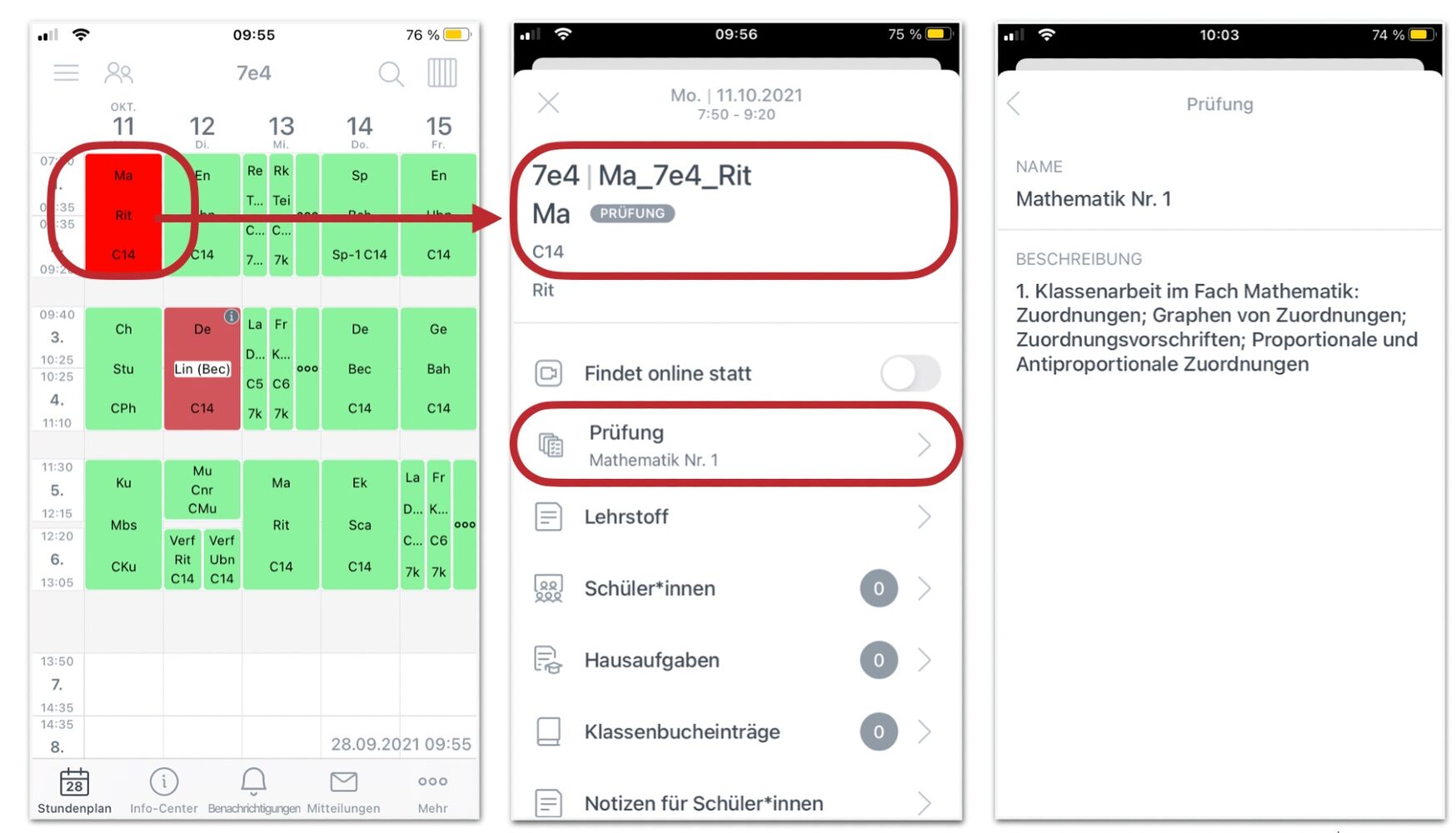
For this purpose, the teacher can use the examination administration in WebUntis in addition to the IServ examination schedule (students will then be informed, as this is not a regular case). Parents and students are then shown the lessons as an exam and the contents of the performance review can be visible here